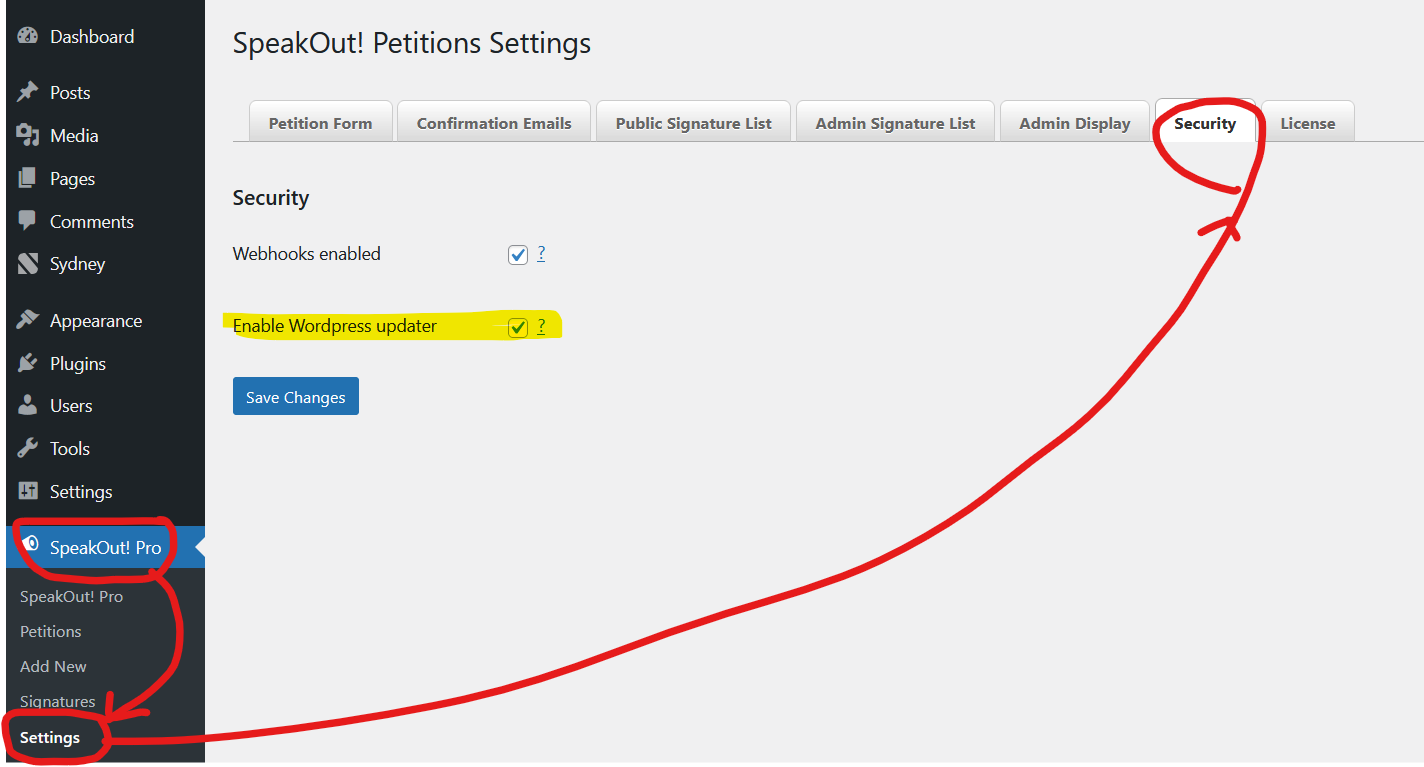
As you should know, WordPress has a built in process to check the version of plugins and update them either automatically or when you trigger the update. This is something that I don’t even have to worry about in the free version, as long as I keep the version number up to date.
However the Pro version lives outside the WordPress ecosystem which is why you have to download it here. I also have to manage updates myself.
I have had a function to check if there is an update and then install it if you choose. It is based on the built in WordPress process and works…for about 95% of users. The other 5% find that it causes their plugins page to slow to a crawl. There is a workaround for this, but it isn’t ideal – every time I update the plugin the change will be lost.
In version 105.3.1 I have added an option to disable the updater and it is set to disabled by default. This means that if you want to use it, you must enable it.